

🚀 The Deployment Experiment
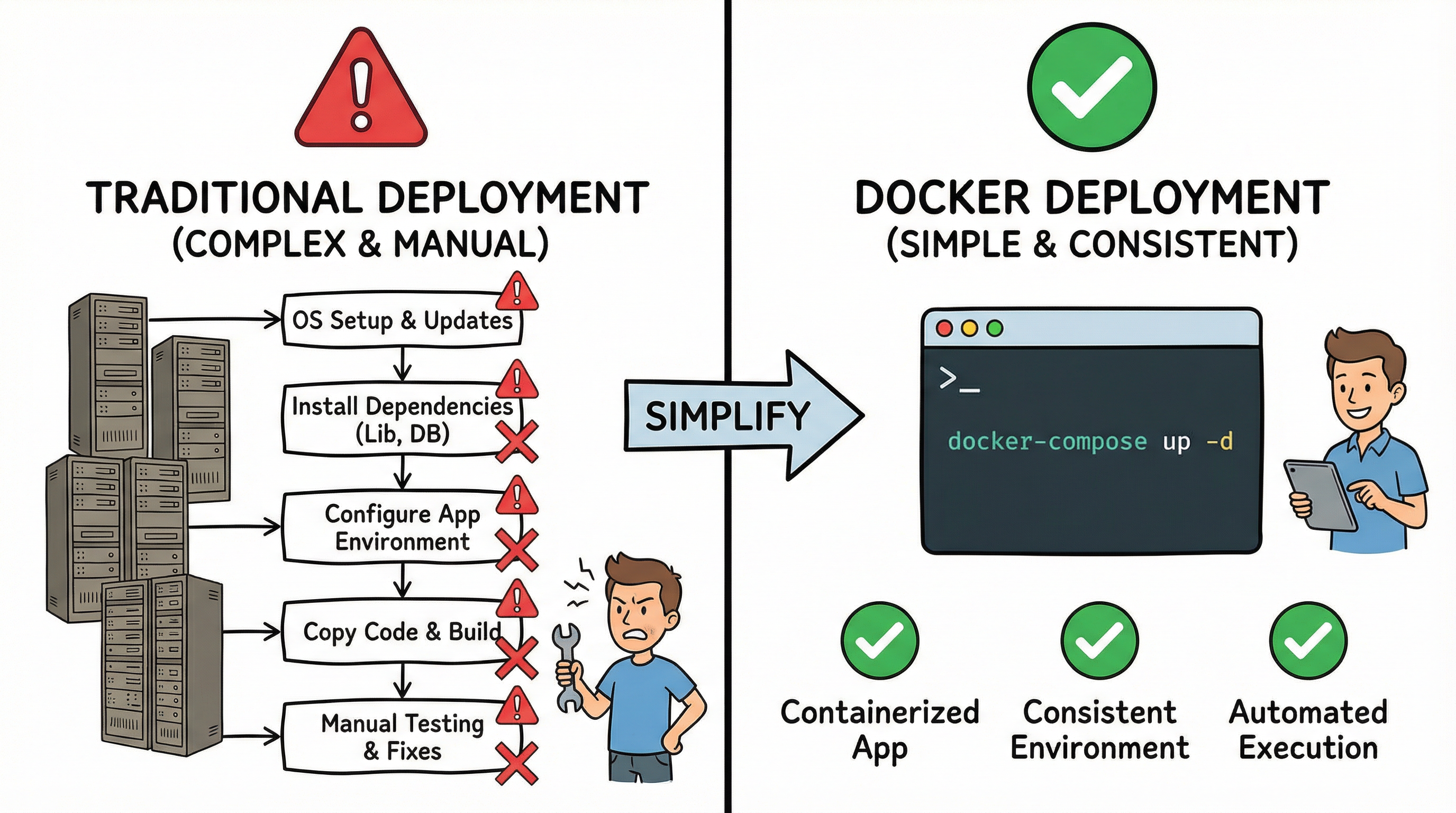
You've just finished building a perfect app. Now, you need to share it with the world. Predict what happens when you try to deploy to different environments using traditional methods.
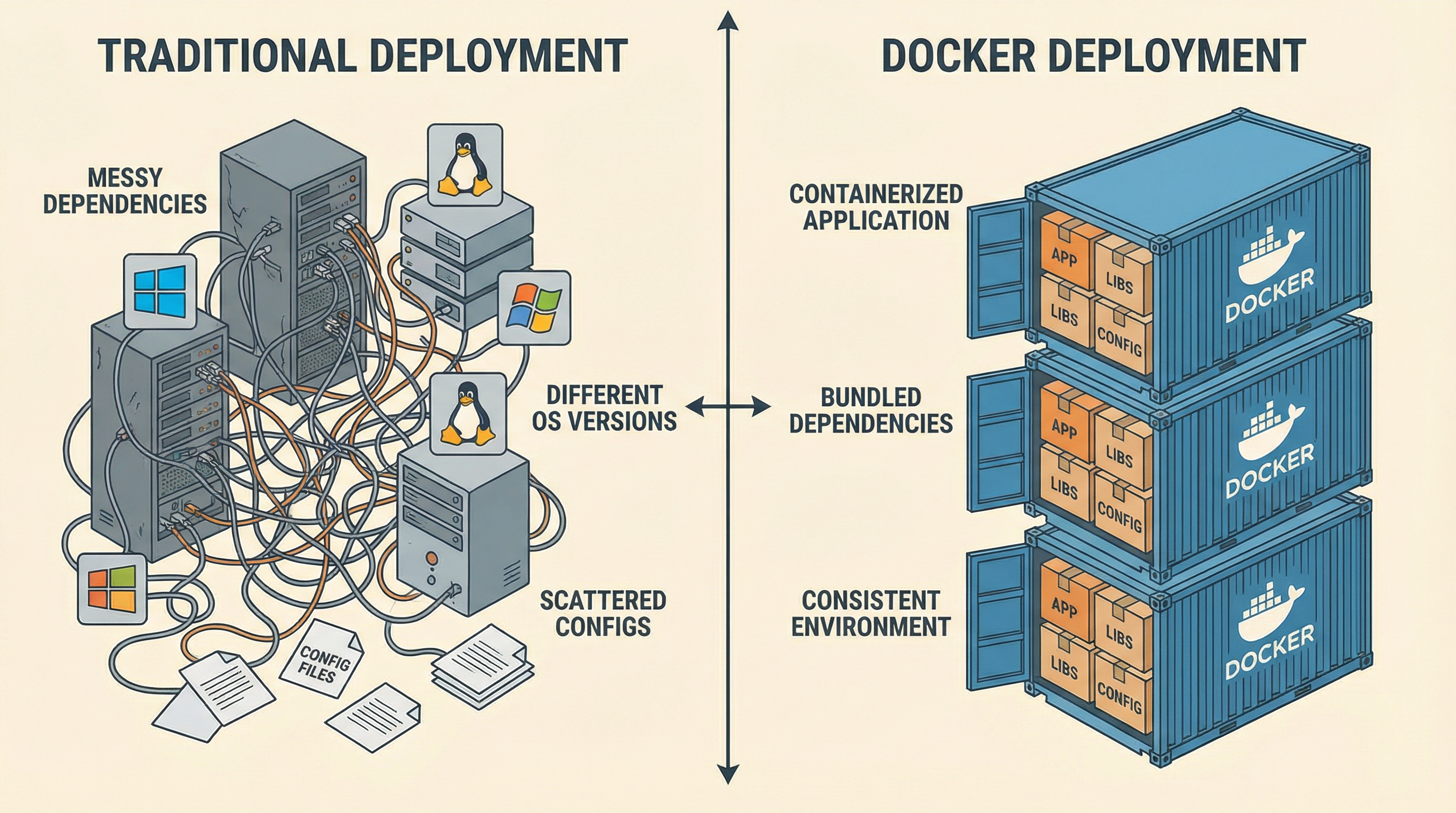
Traditional deployment is a game of chance. Let's see how Docker eliminates this unpredictability.
📦 Why Containerize?
Docker isn't just a trend; it's the industry standard for making software reliable, portable, and fast.
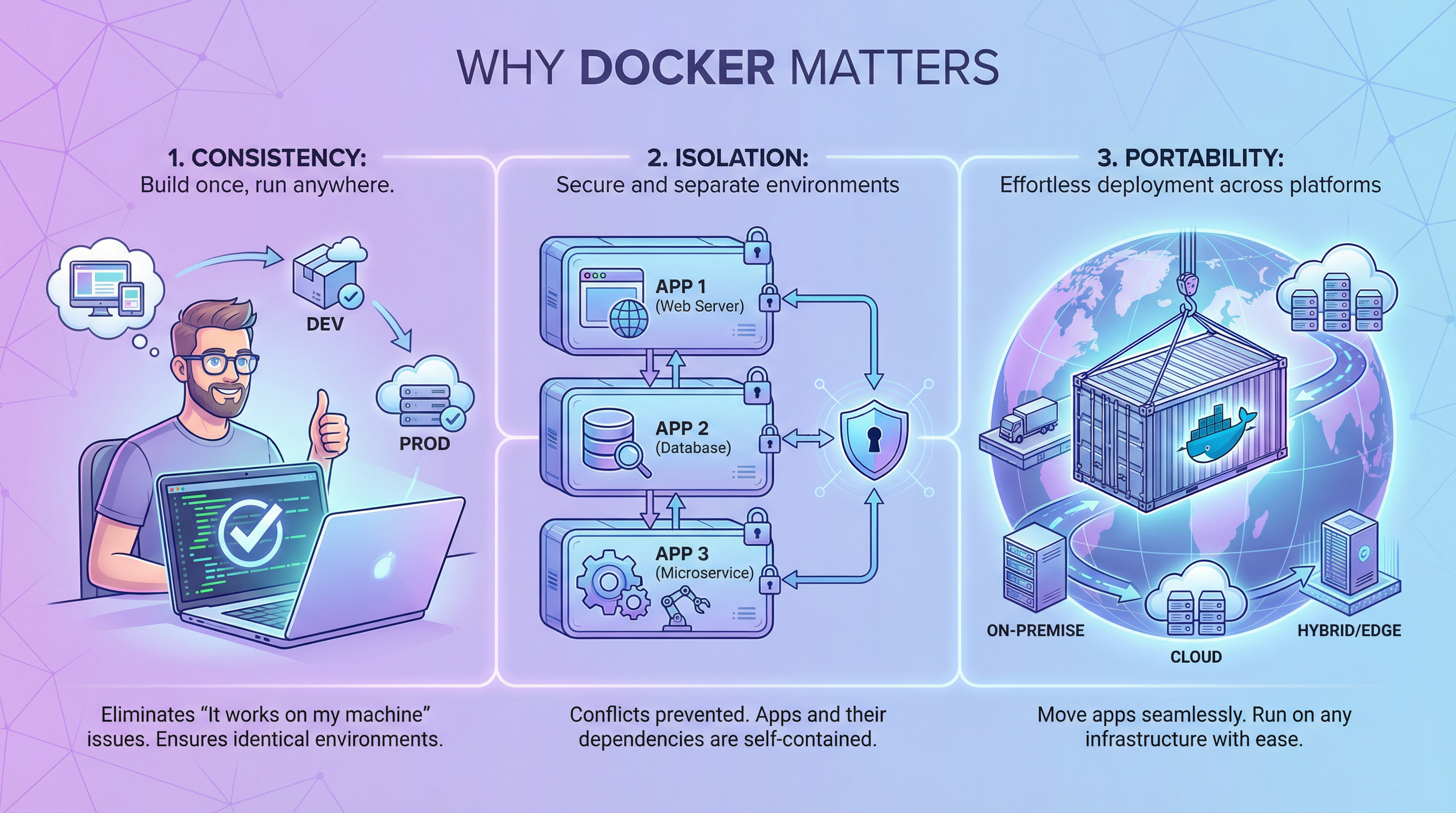
Consistency
"It works on my machine" becomes "It works everywhere."
Isolation
No more library version conflicts on the same server.
🔍 The Snowflake Server
In the traditional world, servers are unique, manual creations. We call them Snowflakes because if they "melt" (crash), they are impossible to recreate perfectly.
Traditional Issues:
- • OS version mismatches
- • Missing system libraries (libc)
- • Manual configuration errors
❌ Dependency Hell
When multiple applications live on the same server, they fight over versions. This is Dependency Hell.
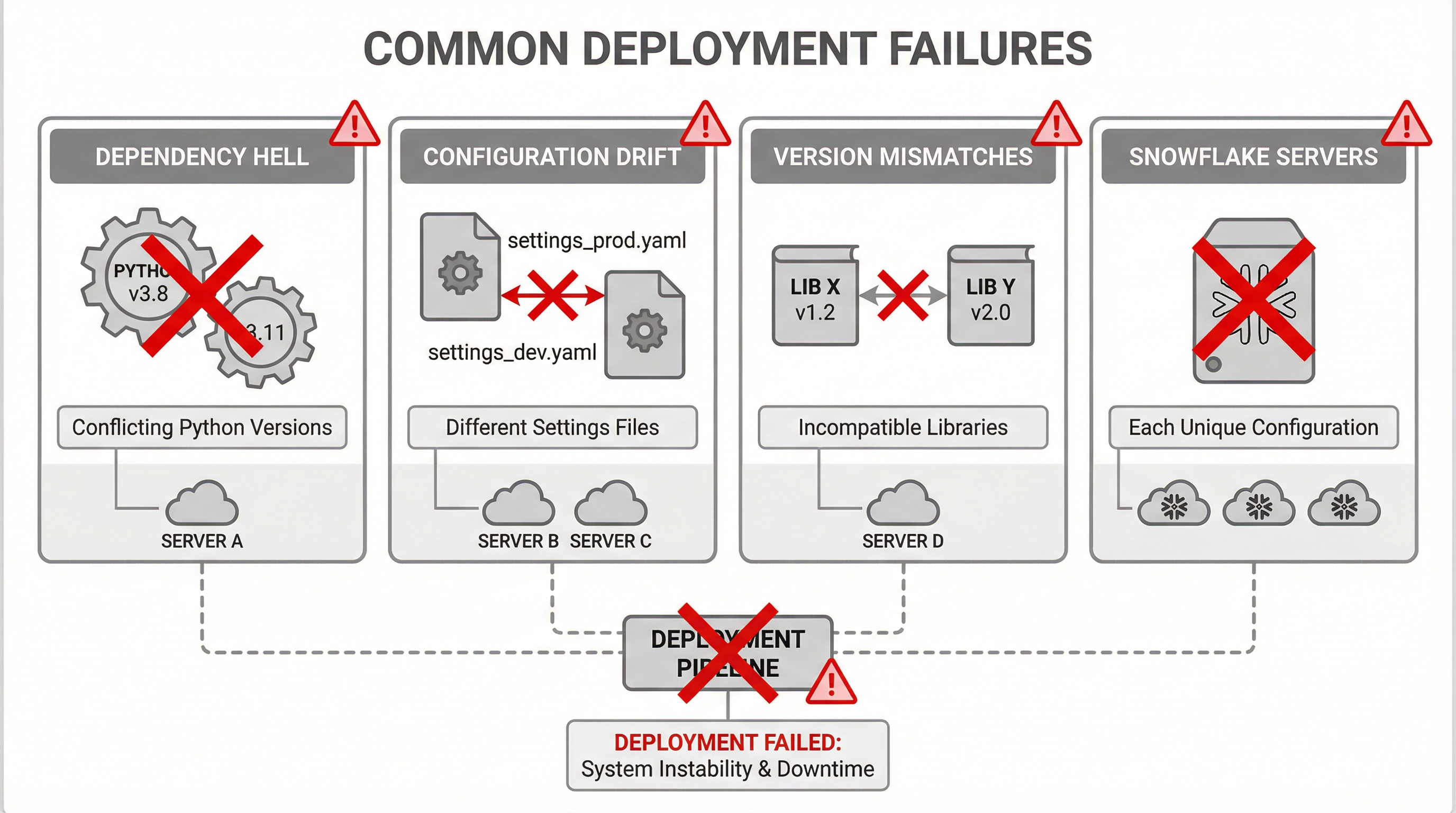
Docker stops the fighting by isolating every app into its own private, standardized environment.
🐳 The Standard Container
Docker packages your application along with everything it needs to run: the OS, runtime, and tools.
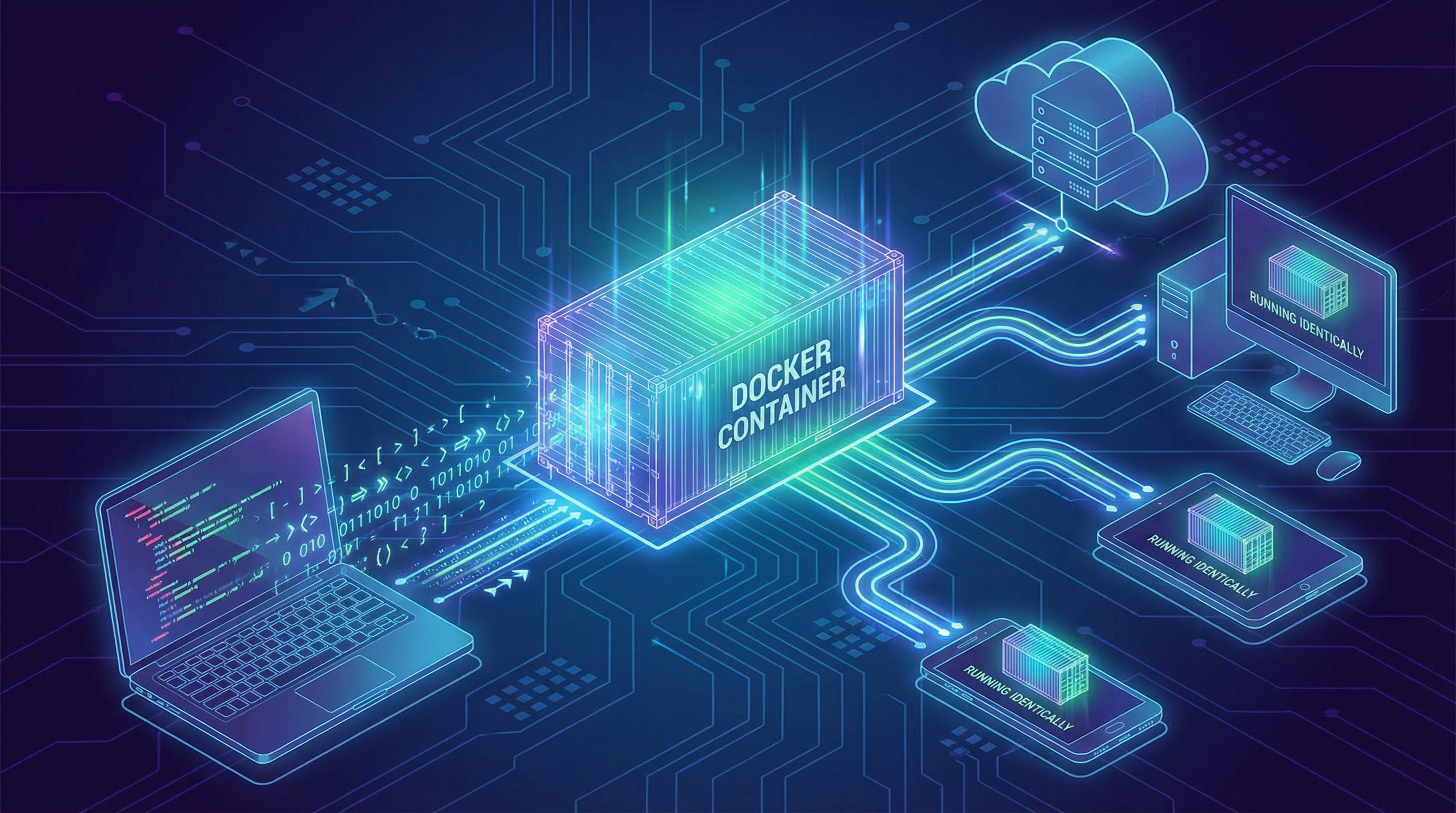
Unlike Virtual Machines, containers are lightweight because they share the host's operating system kernel.
🏗️ The Anatomy of Layers
Docker images are not single blobs. They are built using a stack of read-only layers.
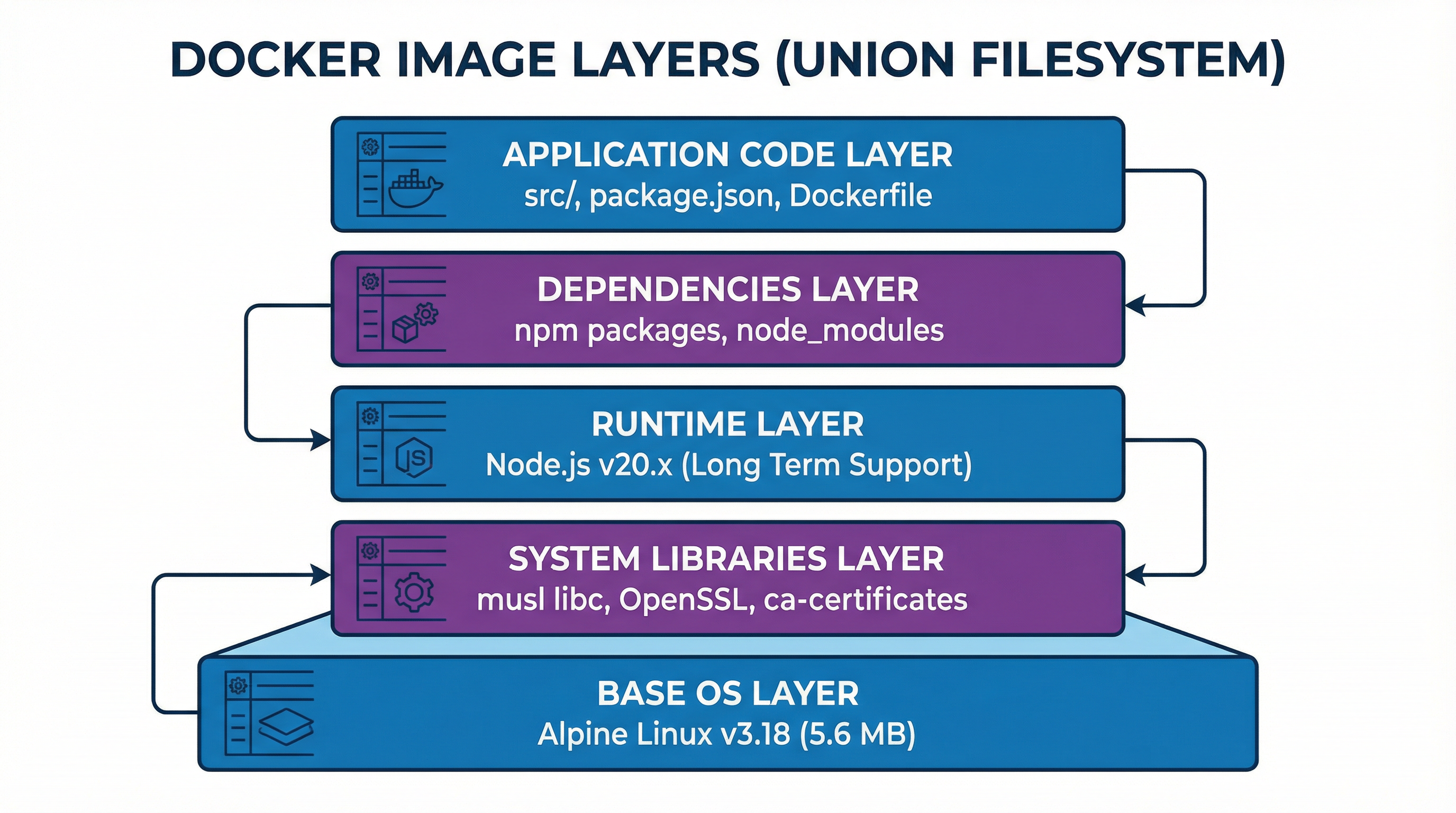
Caching Magic:
If you change your code, Docker reuses all the layers below it instantly. Rebuilds take milliseconds.
🛠️ Building from a Recipe
You define your container stack in a text file called a Dockerfile. This makes your infrastructure Infrastructure as Code.
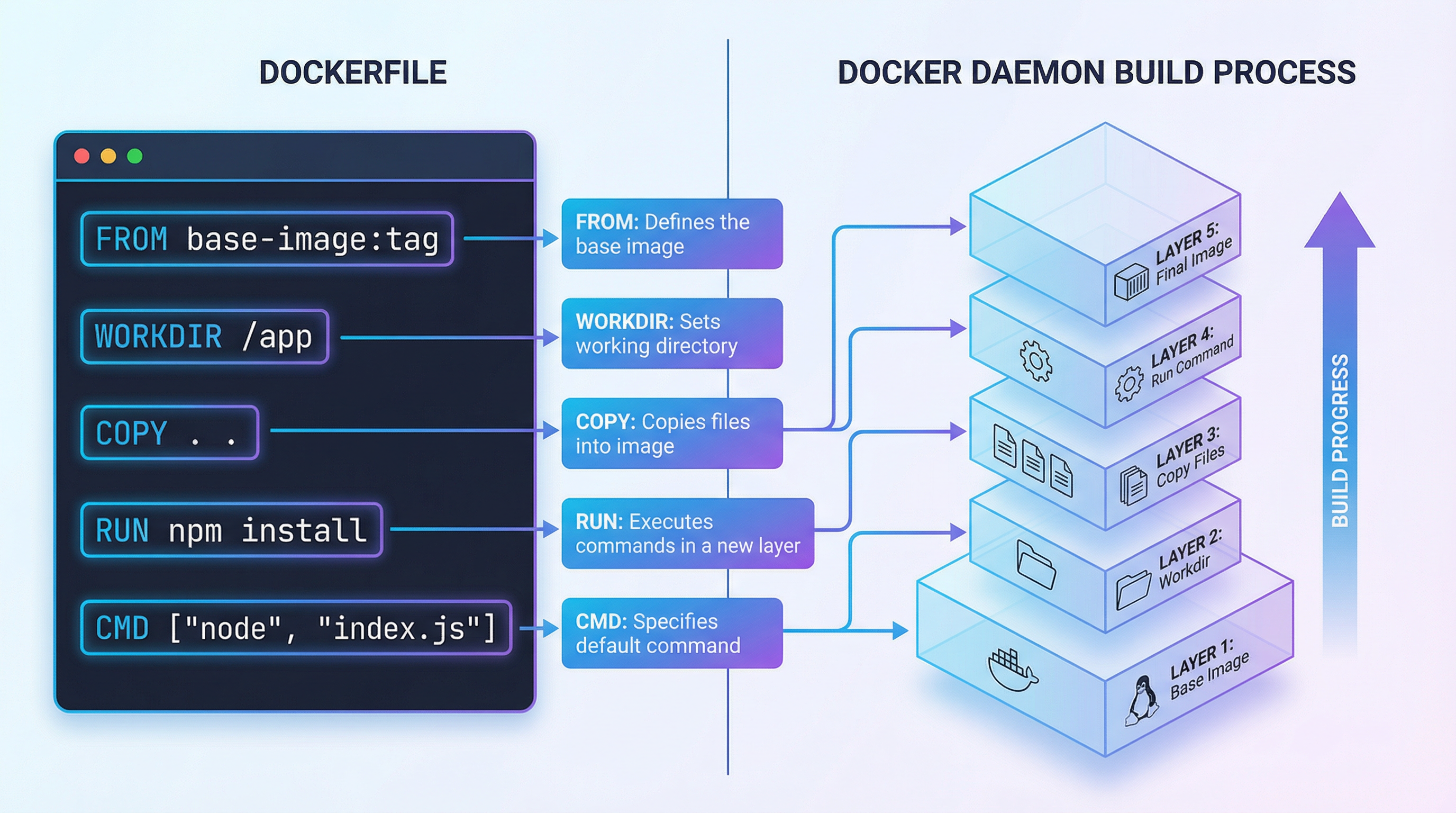
FROM node:18-alpine
WORKDIR /app
COPY package.json .
RUN npm install
COPY . .
CMD ["node", "server.js"]
🔗 Connectivity & Data
To be production-ready, containers need to talk to each other and persist data across updates.
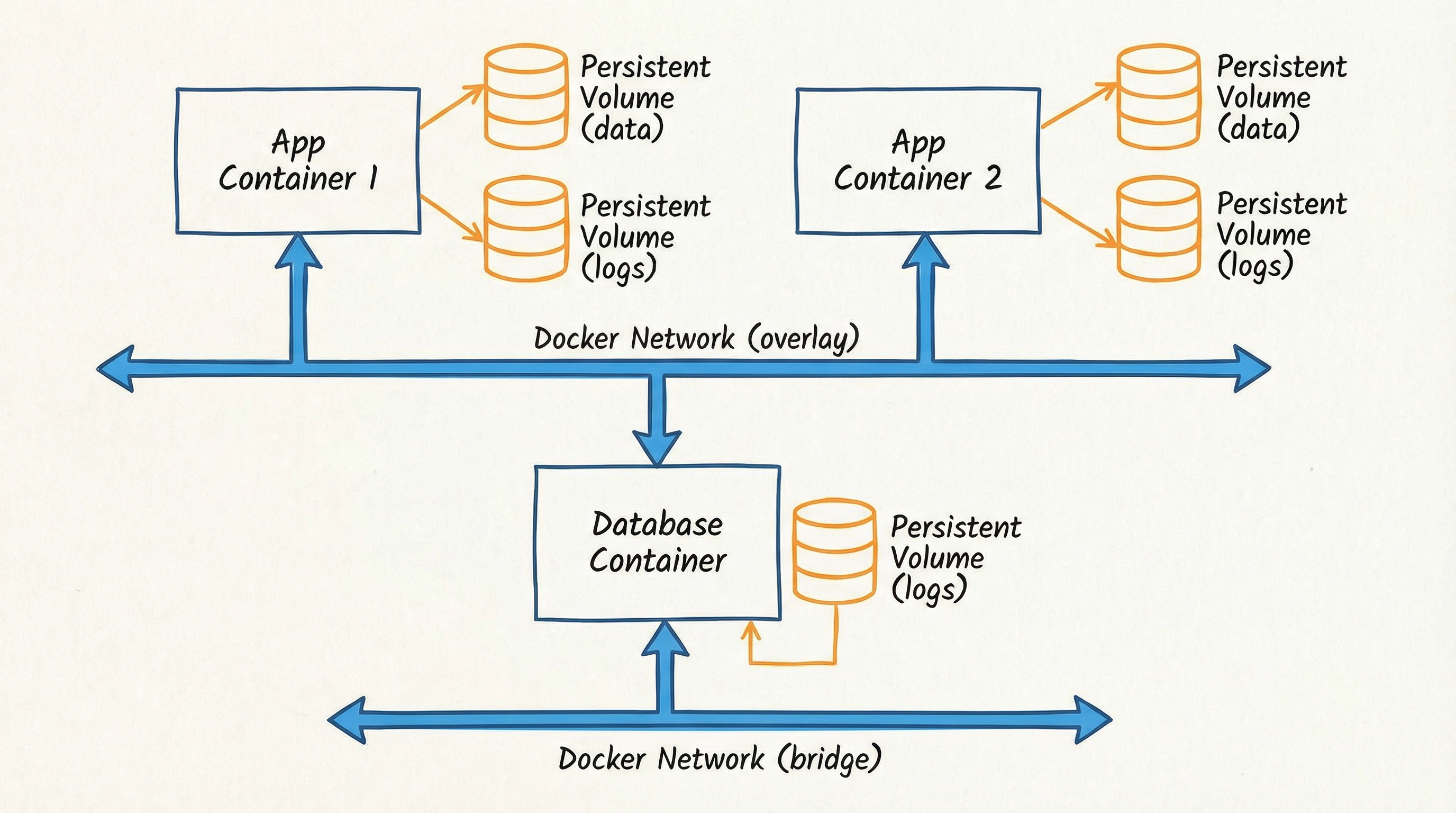
Networks
Allow containers to communicate securely via virtual networks.
Volumes
Preserve data (like databases) even if the container is deleted.
✨ Build Once, Run Anywhere
This is the core promise of Docker. The same image you build on your laptop will run identically on any cloud.
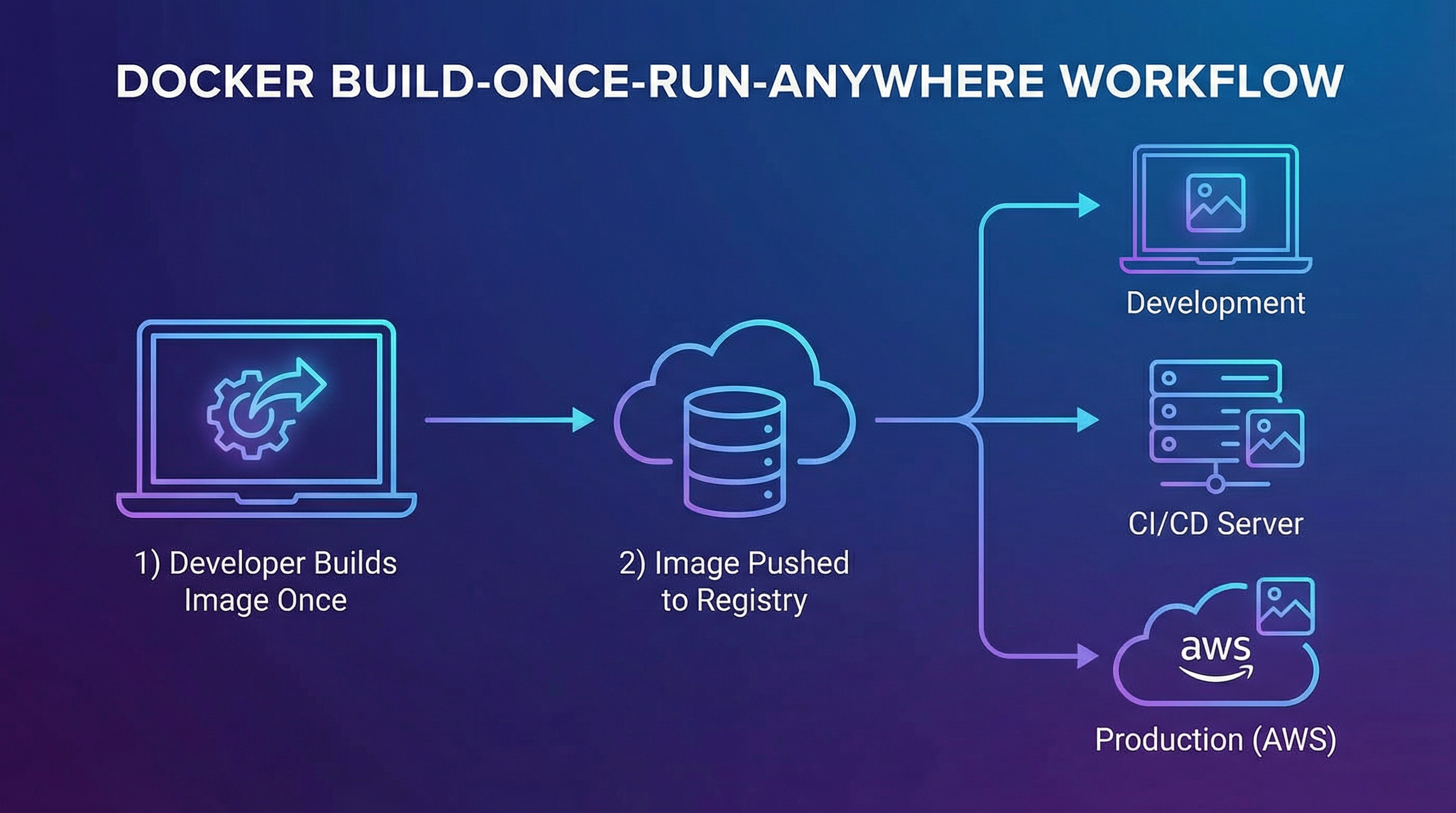
You Build locally, Push to a registry (like Docker Hub), and Pull onto your production servers.
🎼 Orchestrating Stacks
Modern apps are complex. Docker Compose lets you manage multiple containers (Web, API, DB) as a single unit.
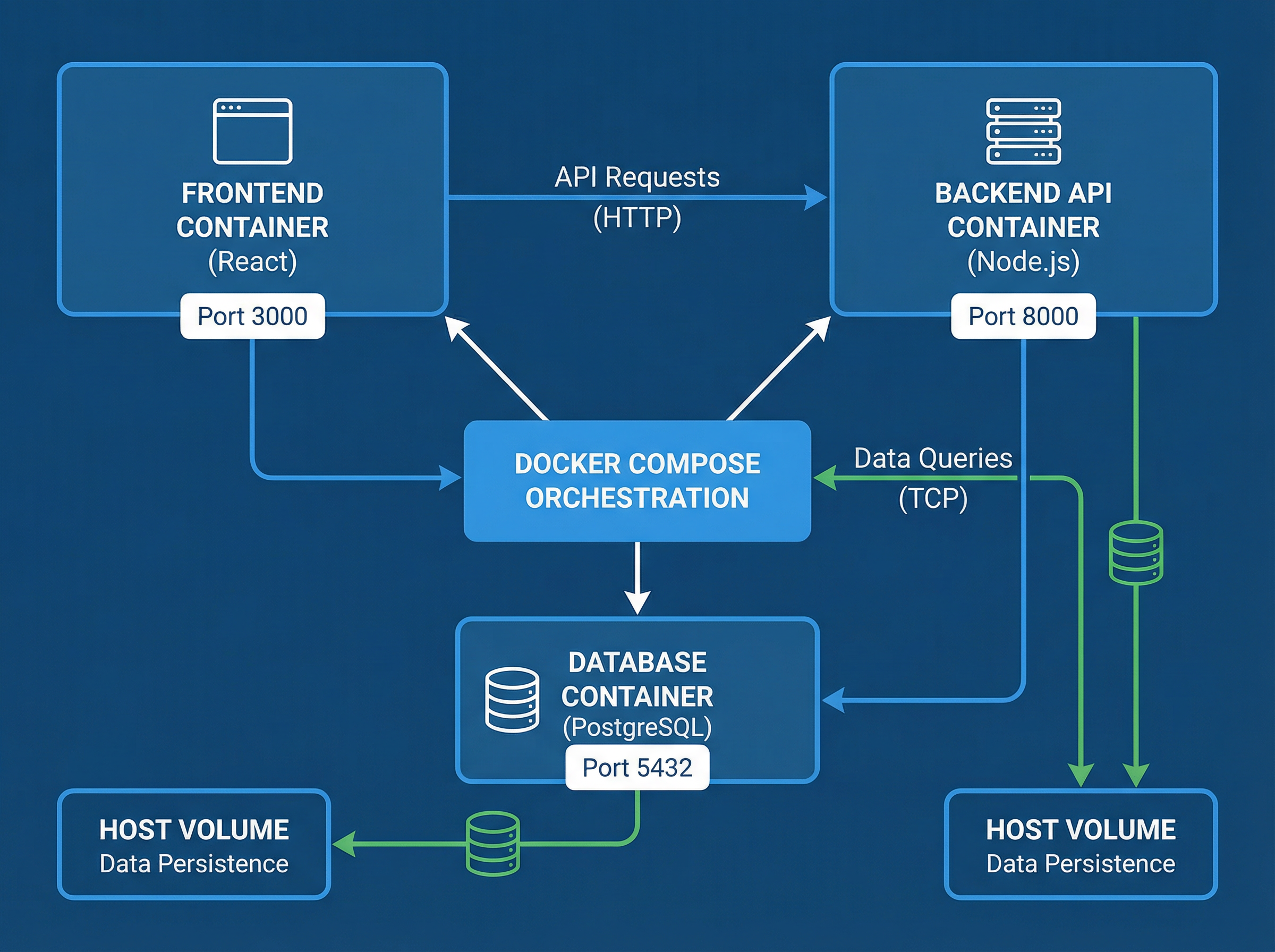
One YAML file. One command. One complete application stack.
💻 Development Perfection
DevContainers move your entire development toolchain (VS Code extensions, compilers, linters) into a container.
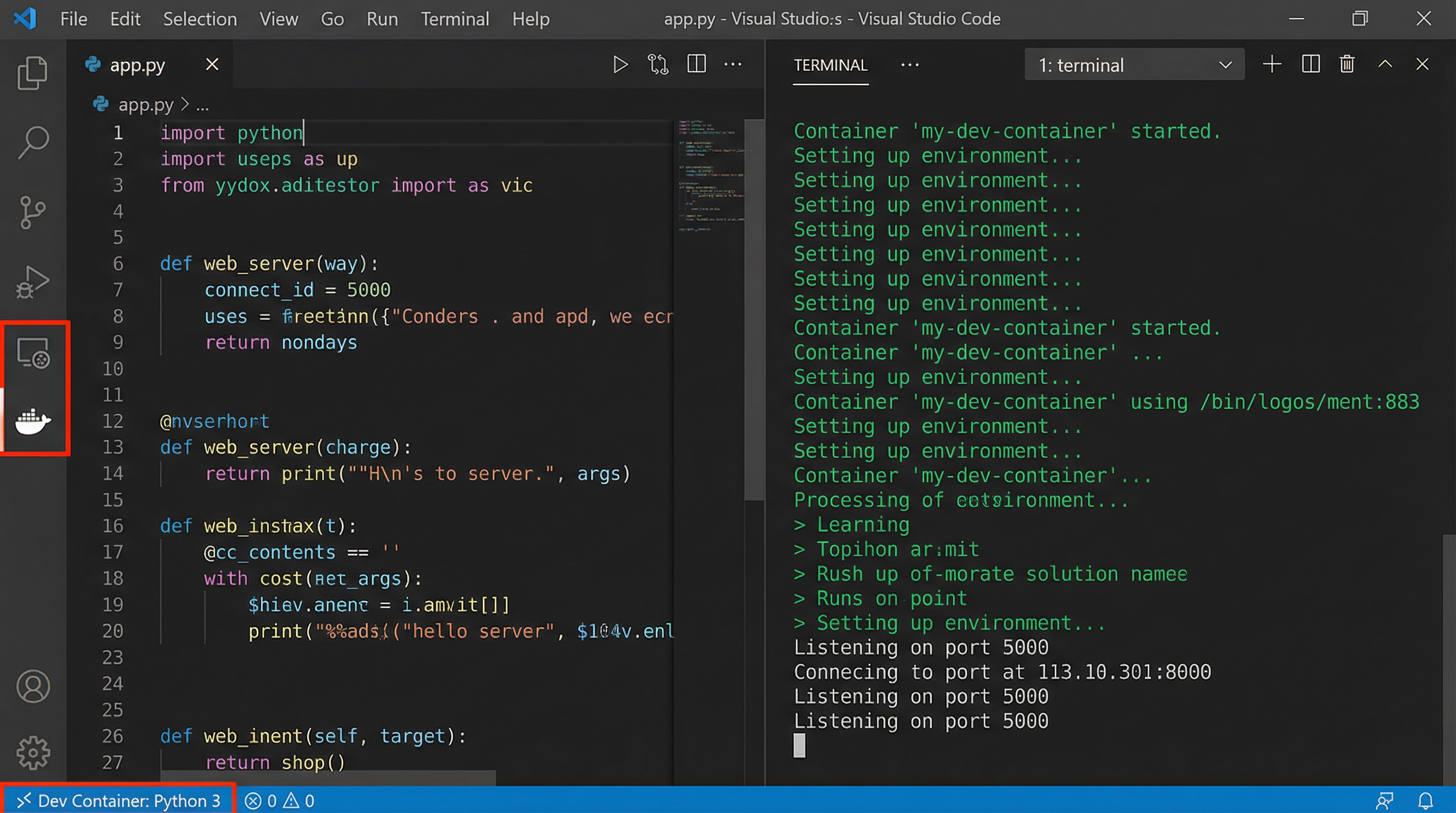
New team members clone the repo and start coding immediately. No setup guides required.
🧠 Checkpoint
In the Docker layered architecture, why is it efficient to place your application code in the top-most layer?
🧠 Checkpoint
What is the primary purpose of a Docker Volume?
Protocol Check
You have covered the core architecture and workflows of Docker. It is time to validate your mastery through the Final Protocol.
- ✅ 8 Questions
- ✅ 80% Required
- ✅ Mastery Certificate Awarded
Assessment Q1
Which concept ensures data persists after container deletion?
Assessment Q2
What is the main purpose of a Dockerfile?
Assessment Q3
Why put app code in upper (later) layers?
Assessment Q4
How do you map port 8080 to host 8080?
Assessment Q5
What is "build once, run anywhere"?
Assessment Q6
How do containers communicate in a network?
Assessment Q7
Where is DevContainer config stored?
Assessment Q8
Which is NOT a standard container layer?